Experiment Topologies
One way to customize the execution of an experiment is to run a different topology. Below are several different topologies one can select to execute.
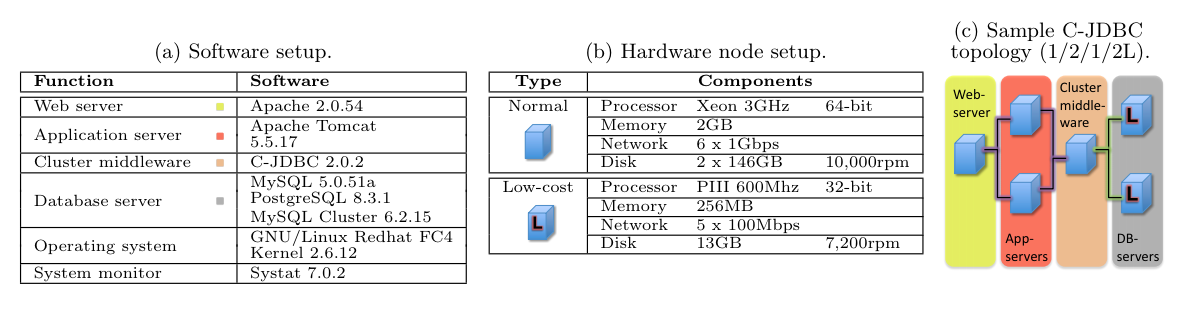
The above image details the experiment set up on the Emulab Cluster.
Creating New Topologies
These instructions cover the basic task of modifying the experimental artifacts to generate different system topologies.
NSFile
- The node list and the list assigning nodes to LANs need to be modified to reflect the desired experimental topology, i.e. nodes from each of these lists need added or removed accordingly.
Experiment XML
-
After the
tag, tags describe each of the servers for an experimental topology. As such, either more of these these XML blocks need to added or removed to align the desired topology. -
For example, if the desired topology has 4 Apache servers, then the 3 additional XML blocks with following signature -
- need to be created. It's probably easiest to just copy and paste the original block, 3 times. -
Now, each replicated block needs to have their “name” attribute and their
tag adjusted. To create a unique name, we suggest incrementing a counter for each block replicated. So, in this case, the names for each of the replicated blocks should be "HTTPD2", "HTTPD3", "HTTPD4". -
As mentioned, the
tags also need to be adjusted. Once again, we recommend simply incrementing the counter "suffix" for each replicated block. In this case, the for HTTPD1 has "node7" as its value. So, the three replicas should have "node8", "node9", "node10". -
Finally, the “downstream”
values need to be adjusted. Notice that "node10" used to be assigned to MYSQL1 but now HTTPD4 has assumed that value. As such, the tags in the TOMCAT, CJDBC and MYSQL blocks need to be adjusted. We recommend incrementing the counter suffix for each downstream node sequentially. In our example, this means the tag value for TOMCAT1 would be "node11" since HTTPD4 was "node10".
Note: OUTPUT_HOME should be changed to account for this new topology; however, the same convention should still be used. This will ensure an entirely new directory for this new topology will be created. Once you’ve made this change, immediately apply this new value to the runRubbosExperiment.sh script! Finally, re-run the generator by executing the runRubbosExperiment.sh with the modified Experiment XML as the input parameter.